There are two common problems people have with logging in to Canvas.
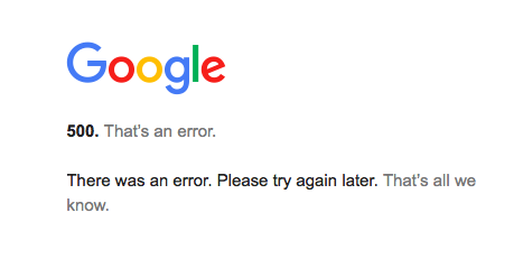
1) Using the alpine.instructure.com link to log in yields a 500 error:
If the device you are using is logged in to multiple Google accounts (Gmail accounts) when you first log in to Canvas, this error message is almost guaranteed. This error also pops up when the server is too busy-- which frequently happens right at the end of the term.
There are two ways to solve this problem. The first way is as follows :
Log out of each and every Google account used on the device. (It isn't enough to close the window. You must actually log out.) Then log in using your @alpinesd.org gmail account. After this, you should be able to add the other Google accounts (reopen them on the device), and from then on, the Canvas login will ask you which one to use. But the first time, you have to log all the others out.
The method for solving problem 2 (below) should also work for this.
2. Using the alpine.instructure.com link to log in yields a forbidden or restricted error:
1) Using the alpine.instructure.com link to log in yields a 500 error:
If the device you are using is logged in to multiple Google accounts (Gmail accounts) when you first log in to Canvas, this error message is almost guaranteed. This error also pops up when the server is too busy-- which frequently happens right at the end of the term.
There are two ways to solve this problem. The first way is as follows :
Log out of each and every Google account used on the device. (It isn't enough to close the window. You must actually log out.) Then log in using your @alpinesd.org gmail account. After this, you should be able to add the other Google accounts (reopen them on the device), and from then on, the Canvas login will ask you which one to use. But the first time, you have to log all the others out.
The method for solving problem 2 (below) should also work for this.
2. Using the alpine.instructure.com link to log in yields a forbidden or restricted error:
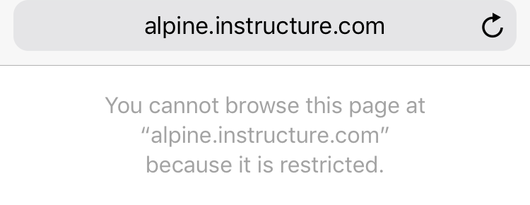
Solve this problem (and almost all Canvas Login problems) this way:
Log into your @alpinesd.org gmail, and get to Canvas through the google apps button in the upper right corner next to your profile pic.
Click the 9 dots (the symbol you use to get to Google drive), then choose MORE.
Log into your @alpinesd.org gmail, and get to Canvas through the google apps button in the upper right corner next to your profile pic.
Click the 9 dots (the symbol you use to get to Google drive), then choose MORE.
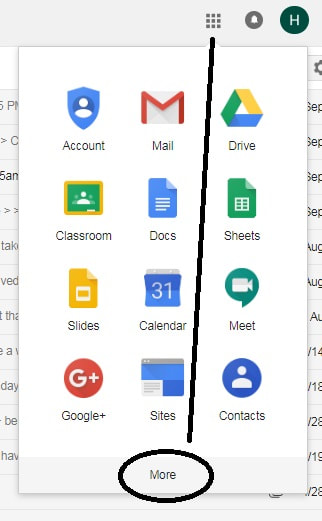
When you click MORE, Canvas shows up there with a colorful square icon.
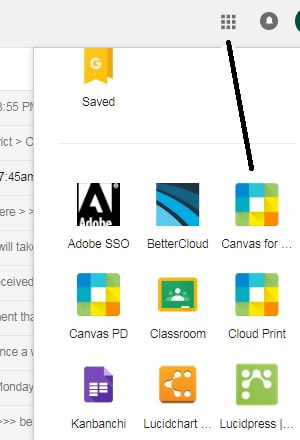
This is always the best way to get you into Canvas when the alpine.instructure.com link yields a server error.
 RSS Feed